PMA Lab 3-2: Basic Dynamic Analysis
1) How can you get this malware to install itself?
Lab 3-2
1) How can you get this malware to install itself?
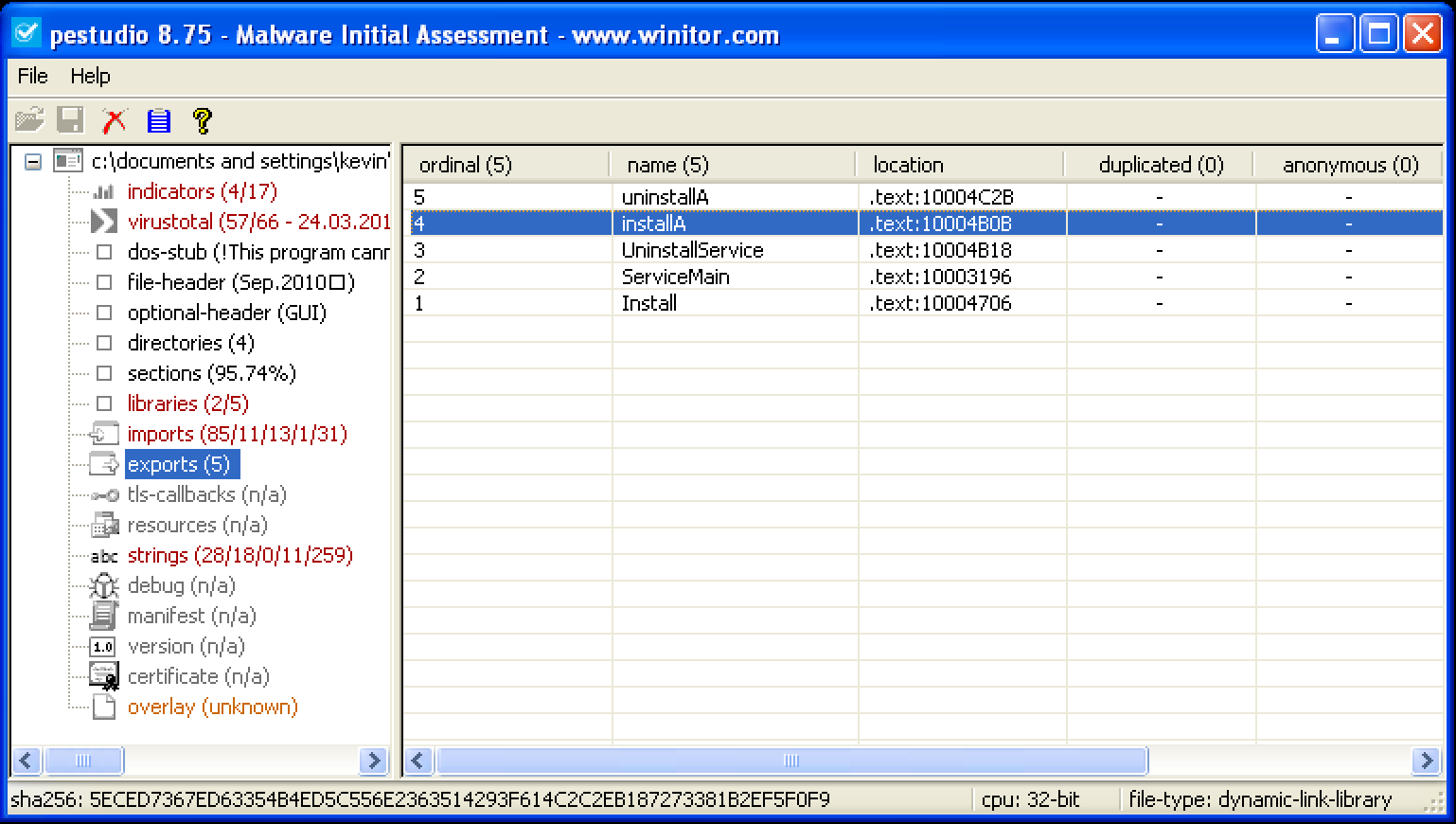
Since the file type of the Malware is PE32 executable (DLL), in order to execute it we need to use rundll32.exe:
rundll32.exe Lab03-02.dll, installA
2) How would you get this malware to run after installation?
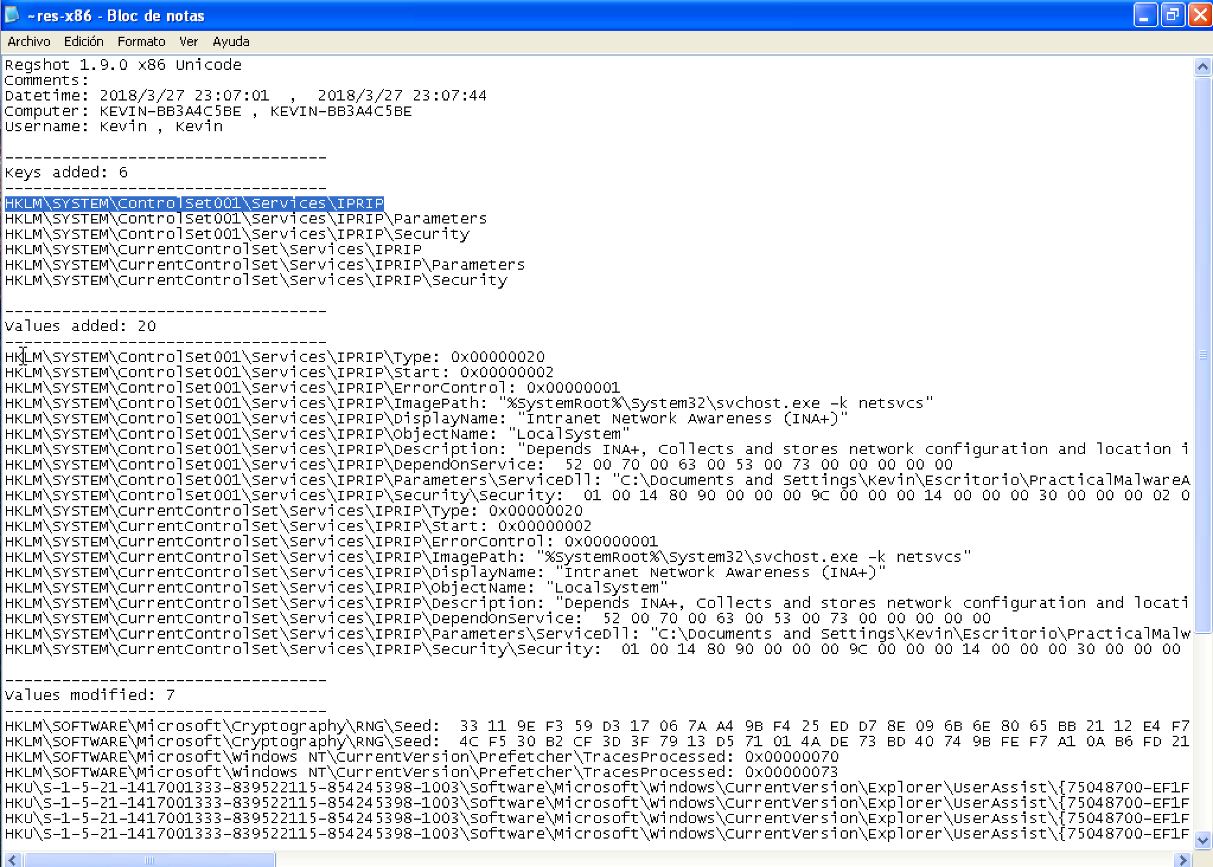
As it is possible to see in the following output of RegShot, the Malware creates a service called IPRIP. It is possible to start this service with the following command:
net start IPRIP
3) How can you find the process under which this malware is running?
In the output of RegShot, we can see that the process that will run the Malware is svchost.exe.
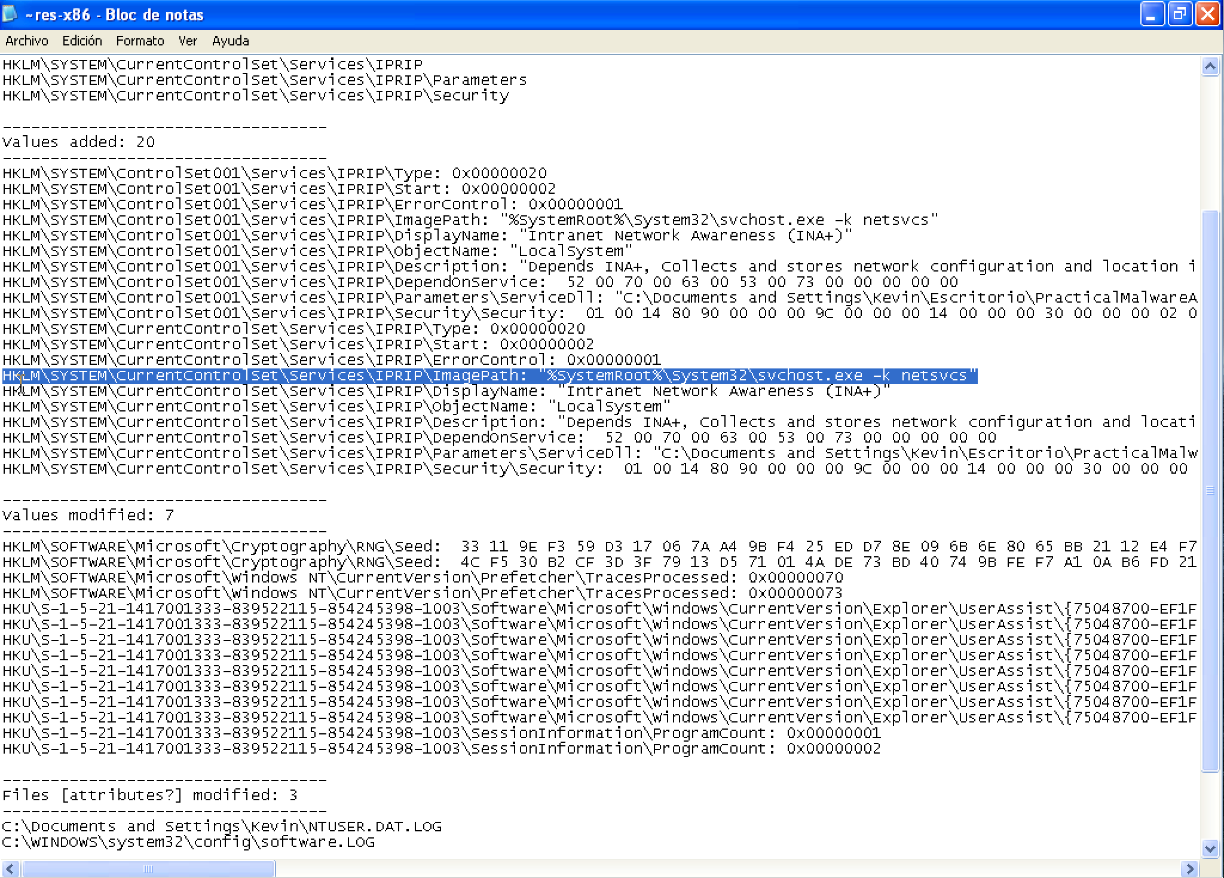
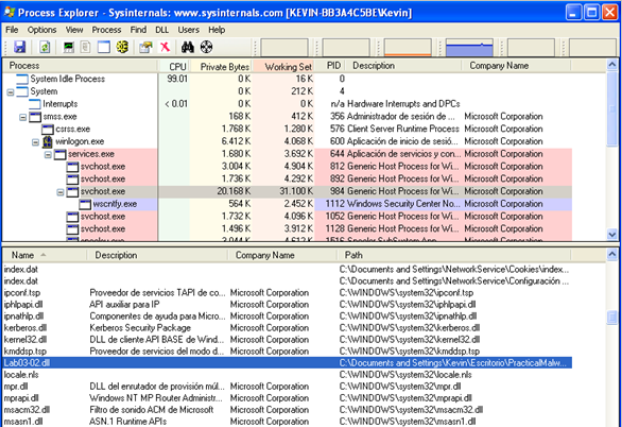
Thus, with Process Explorer we can check which svchost.exe instance loaded Lab03-02.dll. As we can see it’s the process with PID 984.
4) Which filters could you set in order to use procmon to glean information?
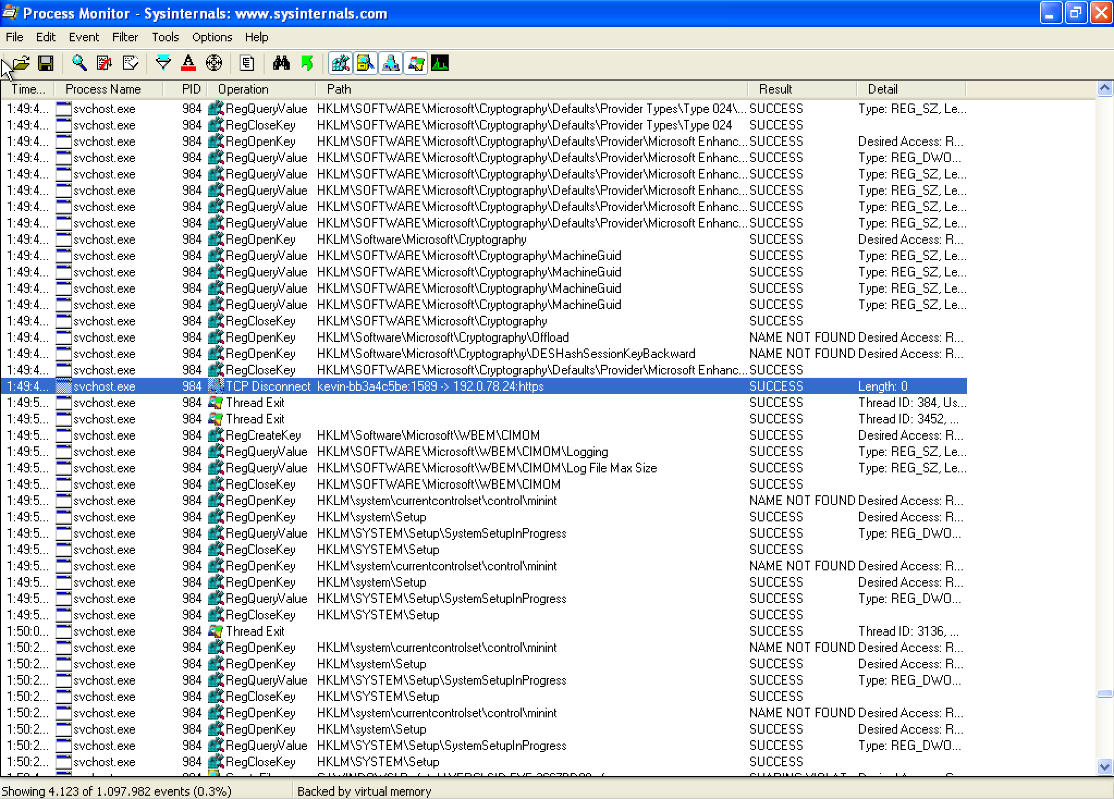
Since there are multiple instances of svchost.exe running on the system, the best way to filter unwanted information is to create a filter by PID, in this case with the value 984.
5) What are the malware’s host-based indicators?
The Malware creates a service called IPRIP.
The following registry keys have been added:
HKLM\SYSTEM\ControlSet001\Services\IPRIP
HKLM\SYSTEM\ControlSet001\Services\IPRIP\Parameters
HKLM\SYSTEM\ControlSet001\Services\IPRIP\Security
HKLM\SYSTEM\CurrentControlSet\Services\IPRIP
HKLM\SYSTEM\CurrentControlSet\Services\IPRIP\Parameters
HKLM\SYSTEM\CurrentControlSet\Services\IPRIP\Security
6) Are there any useful network-based signatures for this malware?
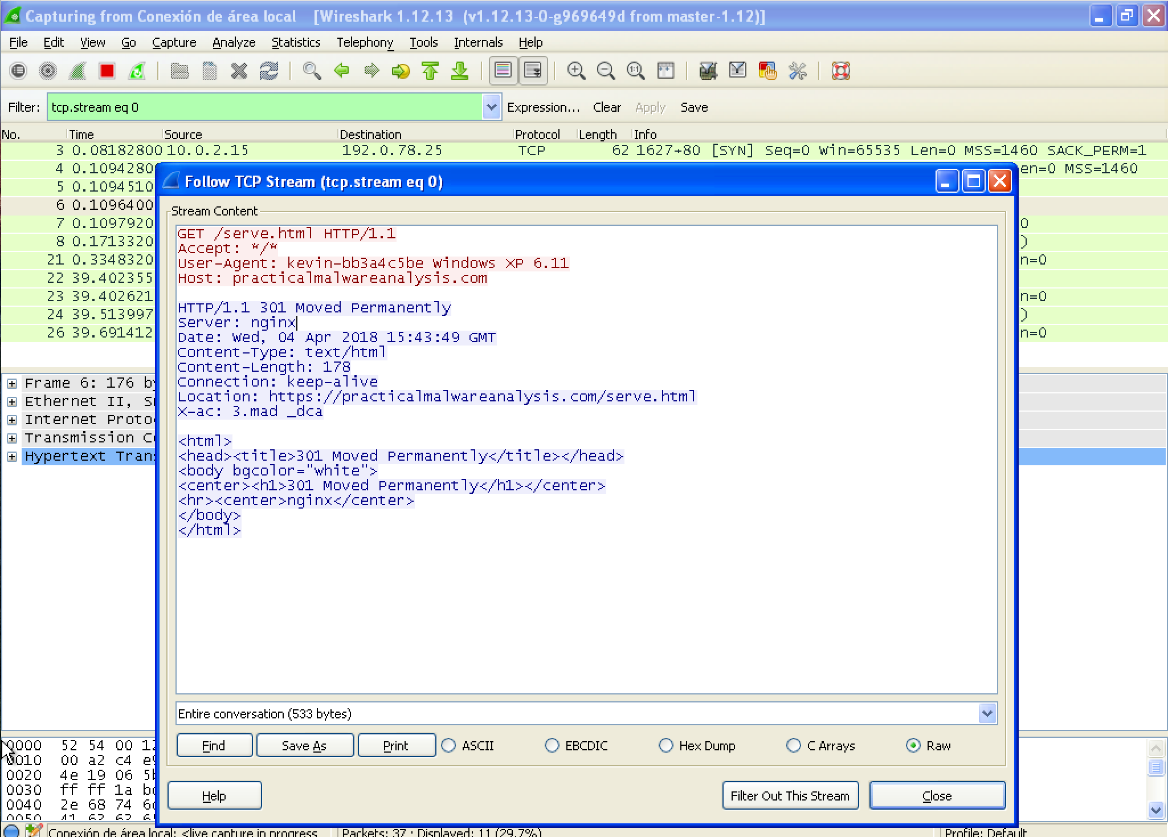
The Malware resolves the domain practicalmalwareanalysis.com and performs GET requests to the page /serve.html: