PMA Lab 18-03: Packers and Unpacking
Your goal for the labs in this chapter is simply to unpack the code for further analysis. For each lab, you should try to unpack the code so that other static
Lab 18-03
Your goal for the labs in this chapter is simply to unpack the code for further analysis. For each lab, you should try to unpack the code so that other static analysis techniques can be used. While you may be able to find an automated unpacker that will work with some of these labs, automated unpackers won’t help you learn the skills you need when you encounter custom packers. Also, once you master unpacking, you may be able to manually unpack a file in less time than it takes to find, download, and use an automated unpacker.
Each lab is a packed version of a lab from a previous chapter. Your task in each case is to unpack the lab and identify the chapter in which it appeared.
The files are Lab18-01.exe through Lab18-05.exe.
Notes
This is an interesting challenge, to which I would like to extend the difficulty, and increase realism.
- As recommended in the Lab guide, using automated unpackers won’t help learn the required skills, so I won’t be using any automated tools.
- As per the Lab guide, each lab is a packed version of a lab from a previous chapter. However, I won’t be checking one by one or fully analyzing the code on each file just to see if I remember the exercise. Instead, I will expand some of the content that is not necessarily covered in Practical Malware Analysis.
- In this exercise we already know that all files are packed, however, in real scenarios we don’t. Here I’ll briefly analyze each file and confirm how one could get to the conclusion that they are packed, and which packer is used. From there, I’ll start the unpacking process.
Unpacking
Using PEStudio, it is possible to find out that this file is packed with PECompact.
- The file has a very high entropy (7.218)
- Regarding sections there are two sections named pec1, and pec2, which are interesting not only because of the names but also because their raw size is much smaller than their virtual size.
- There are several strings, but they are not relevant.
- There are not many imports and the majority are imports usually used in Unpacking routines (LoadLibrary, and GetProcAddress, and also VirtualAlloc and others).
Let’s start unpacking this sample.
Being packed with PECompact, the code will contain some anti-debugging exceptions and will be obfuscated. Let’s step into the code until we find the jump tail. In order to not be bothered by some Anti-Debugging tricks, I’ll use ScyllaHide.
PECompress uses obfuscated, and self-modifying code, thus by taking a quick look into the code no visible jump tail is found.
While carefully stepping through the code, you’ll encounter several loops. To speed up the process, I used breakpoints near the end of each loop and use the Run key (F9) command to continue execution. However, it’s important to be cautious, since as previously mentioned PECompact may employs self-modifying code during unpacking. This can overwrite or invalidate breakpoints, so it’s a good idea to frequently verify breakpoint integrity or use hardware breakpoints instead:
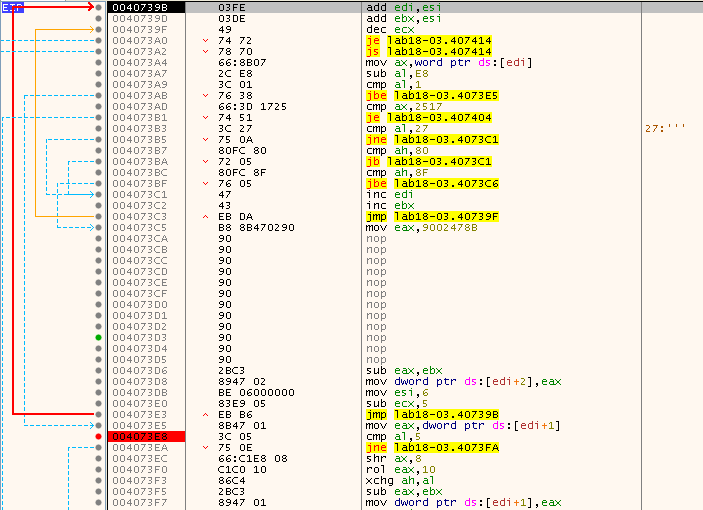
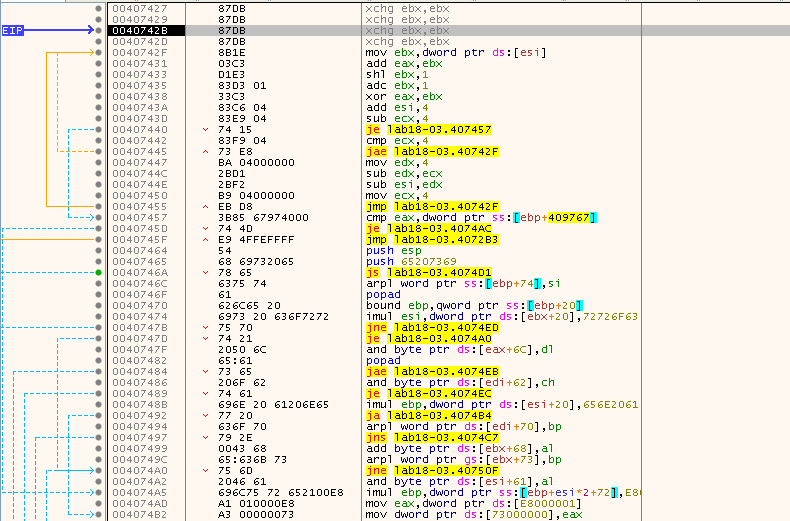
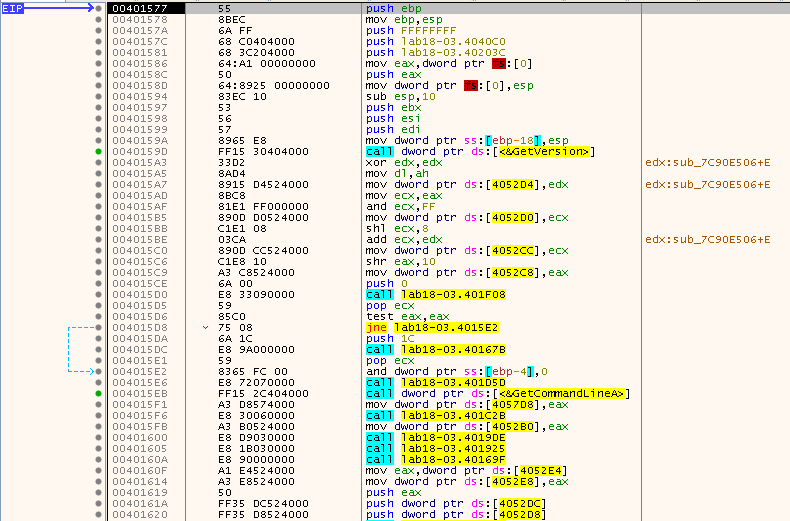
It took some tries, which required to restart the process, but using this method along with some “Execute till return”, at some point EIP stops at 00401577, which looks like the beginning of the unpacked code:
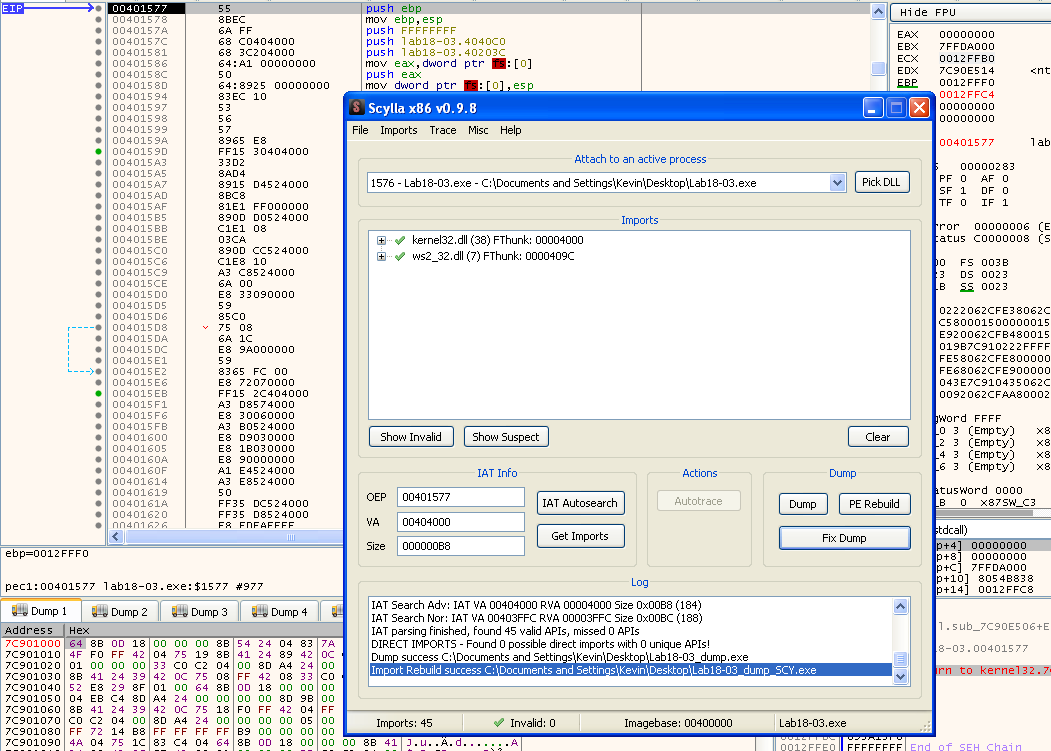
Again, using Scylla, it was possible to dump the unpacked sample:
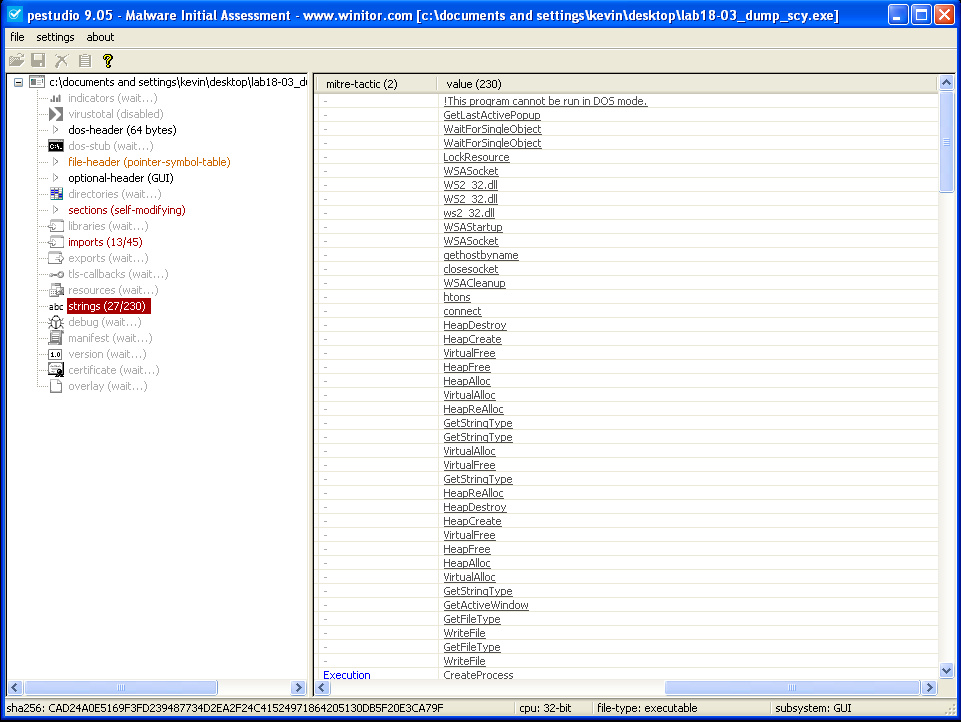
Opening the sample on PEStudio, we don’t find any indications that the sample is still packed. No signature, more strings and Imports. Everything seems to be as expected:
Finding the original sample
In order to find out the original Sample I’ll stick to the method I used in Lab18-01. I’ll start by using ssdeep to compare the unpacked sample against the entire PMA Sample dataset, and find the likely candidates:
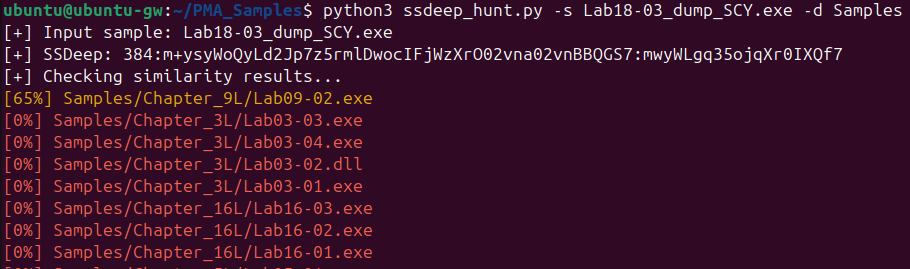
In this case, only one candidate (Lab09-02.exe), shows any similarity, with a 65% match. Interestingly, all other samples, including the packed version, have a 0% match. I initially expected the packed sample to show at least some similarity due to the presence of the unpacking stub. However, it’s possible that PECompress, which is known for using self-modifying code, altered the unpacking stub during execution. This behavior may have prevented ssdeep from detecting a match, as the modified stub would no longer resemble its original static form.
Even though there are no other options that make sense, let’s confirm if Lab09-02.exe is indeed the original sample, assuming that in a larger dataset (in a real-world scenario) there would be more matches, and ssdeep doesn’t analyze the code.
In order to do this, once again we’ll use BinDiff:
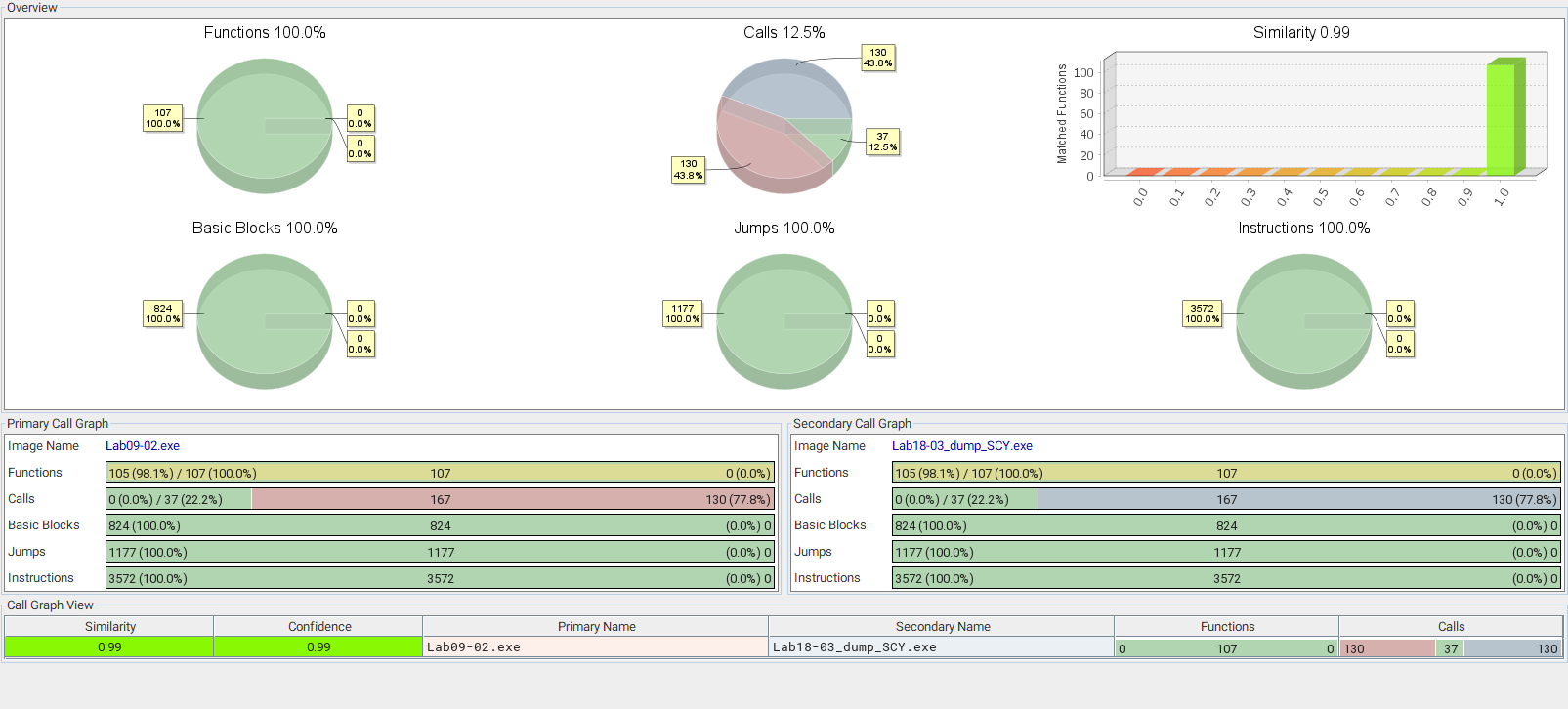
From the results, we can find out that:
- Similarity and confidence in the results is 0.99, which means that both samples are almost identical.
- The similarity between functions, basic blocks, jumps and instructions is 100%.
- The only difference here is in terms of calls. But this is likely because of the stub part of the code that is still present in the unpacked code.
With this, we it’s possible to conclude that Lab09-02.exe is the sample packed into Lab18-03.exe.