PMA Lab 21-1: 64-bit Malware
You’ll need a 64-bit computer and a 64-bit virtual machine in order to run the malware for these labs, as well as the advanced version of IDA Pro in
Lab 21-1
You’ll need a 64-bit computer and a 64-bit virtual machine in order to run the malware for these labs, as well as the advanced version of IDA Pro in order to analyze the malware.
Analyze the code in Lab21-01.exe. This lab is similar to Lab 9-2, but tweaked and compiled for a 64-bit system.
Analysis
Analysis of Lab 9-2 can be found here.
Questions
1) What happens when you run this program without any parameters?
Nothing seems t o happen when the program is executed without any parameters. Given the clue from the Lab information, and assuming no big changes were made to the sample from Lab9-2, this program needs to be renamed to “ocl.exe”, in order to successfully run.
2) Depending on your version of IDA Pro, main may not be recognized automatically. How can you identify the call to the main function?
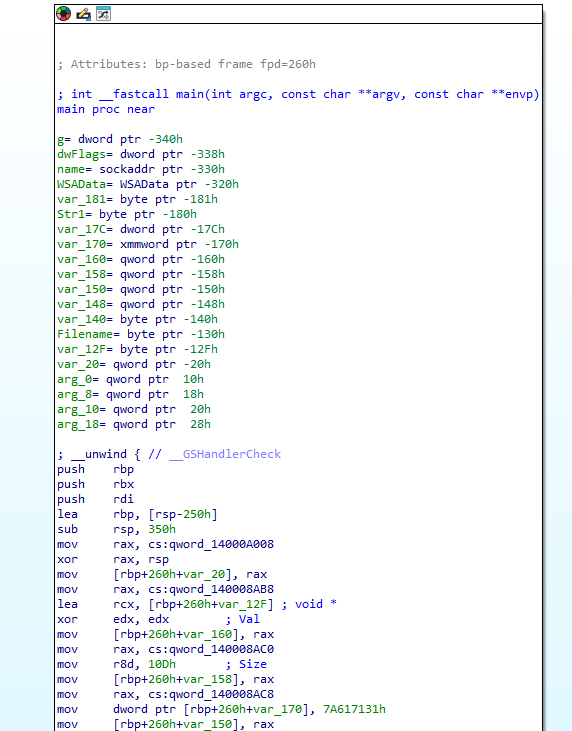
After opening the sample in IDA, there’s no problems in recognizing the main function:
3) What is being stored on the stack in the instructions from 0x0000000140001150 to 0x0000000140001161?
Looking at the disassembly, there are some mov instructions moving data to the stack. By changing two of these values from hex to text we can see two strings “.lco”, and “exe”. Also the first value being moved is a Null Byte.

By looking at how one of these offsets is used, we can find that in loc_1400011B0 there’s a decoding routine:
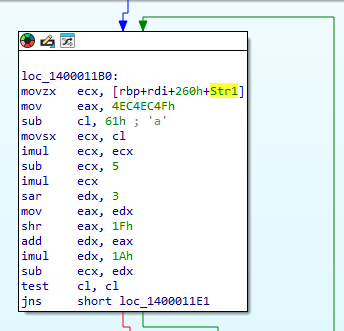
Therefore we can deduct that what is being passed to the stack between 0x0000000140001150 to 0x0000000140001161 are parts of the filename string that will be matched with current filename.
4) How can you get this program to run its payload without changing the filename of the executable?
Given the fact that just like Lab9-2, this program validates the filename, in order to run its payload without changing the filename it is required to Patch the Malware.
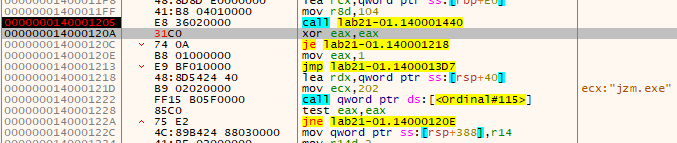
At 0x0000000140001205 there’s a strncmp call. If both strings are equal, strncmp returns 0. Thus, by replacing the “test eax, eax” for “xor eax, eax”, we’re basically forcing the output to always be zero:
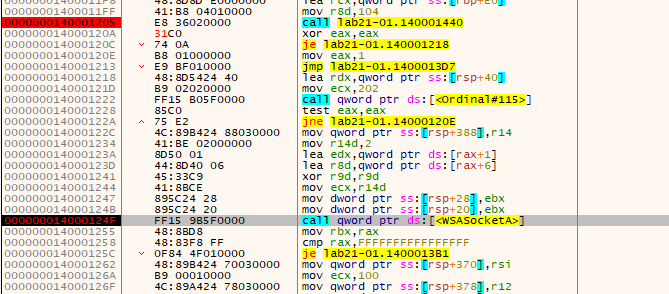
After doing that, the code arrives to the call to WSASocketA without any problems:
5) Which two strings are being compared by the call to strncmp at 0x0000000140001205?
Looking at RCX, and RDX, it is possible to see that the strncmp call is comparing “jzm.exe” to “Lab21-01.exe” (obtained using GetModuleFileMameA):

6) Does the function at 0x00000001400013C8 take any parameters?
The function takes exactly 1 argument. If we look closely, only two registers can be used as parameters (rcx, and xmm0):
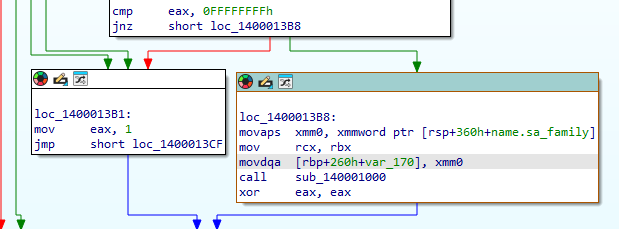
However, inside sub_140001000 the register xmm0 isn’t used in any way. The value of rcx, is passed to the register rbx, which is then used in the CreateProcessA as the LPSTARTUPINFOA parameter. In the last 3 lines prior to the call we can see the value being moved to the stack.
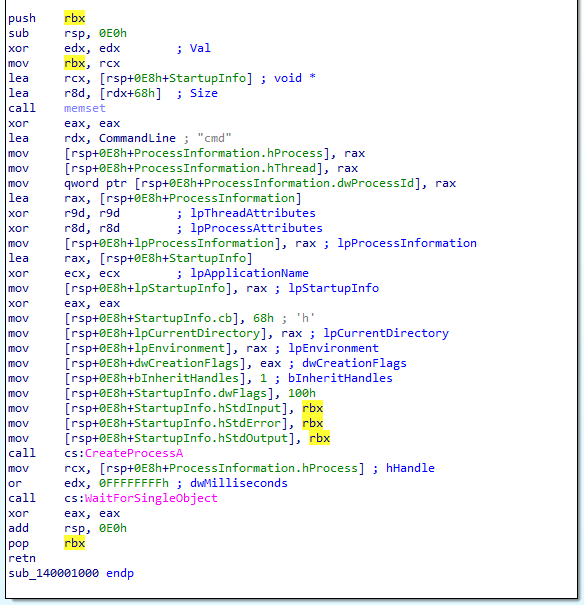
7) How many arguments are passed to the call to CreateProcess at 0x0000000140001093? How do you know?
This one is made easier thanks to IDA Pro. CreateProcessA takes 10 arguments, although some are optional, they still would require the parameter to be passed (even with Null). If we look closely to the way the instructions are laid out, we can see that 9 parameters are automatically labeled/commented by IDA Pro, with the exception of lpCommandLine, but this one is used in rdx (second argument).
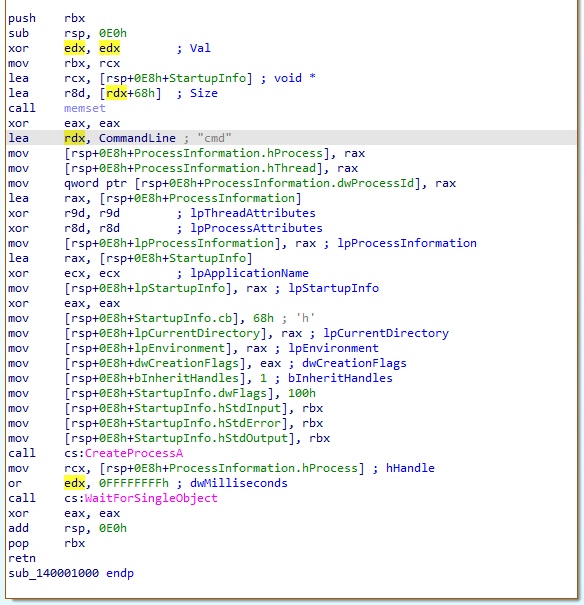
Thus, we can conclude that 10 arguments are being passed to the function.